Features
Everything your architecture docs need to stay current
Revision is one C4 model behind every view. Model it once, explore it, change it in Drafts, keep it trustworthy and share it with everyone who needs it.
Free for one editor · Readers are always free
Model
Model once. Every view updates.
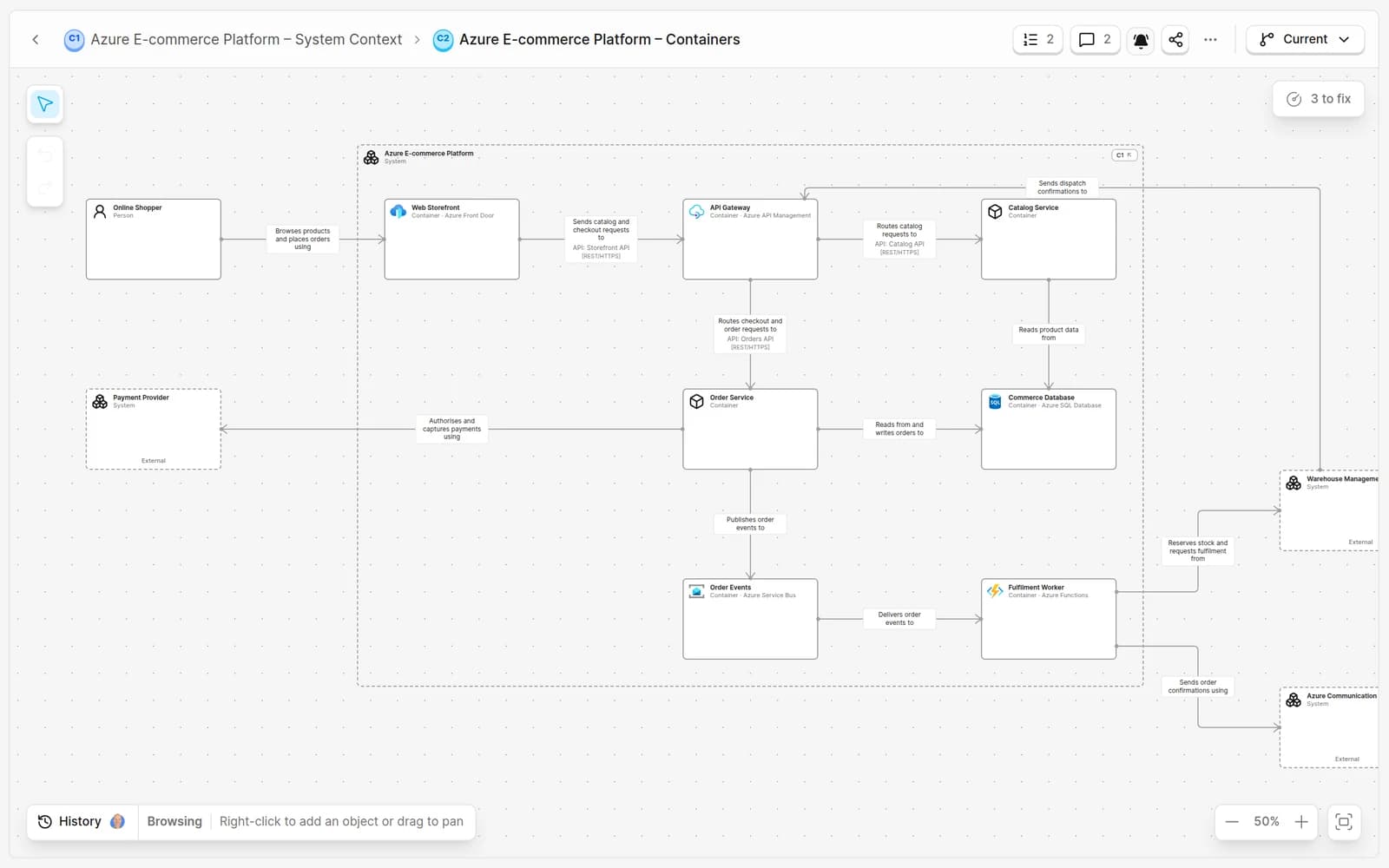
C1 to C3 levels
Move from the system landscape to components in linked views.
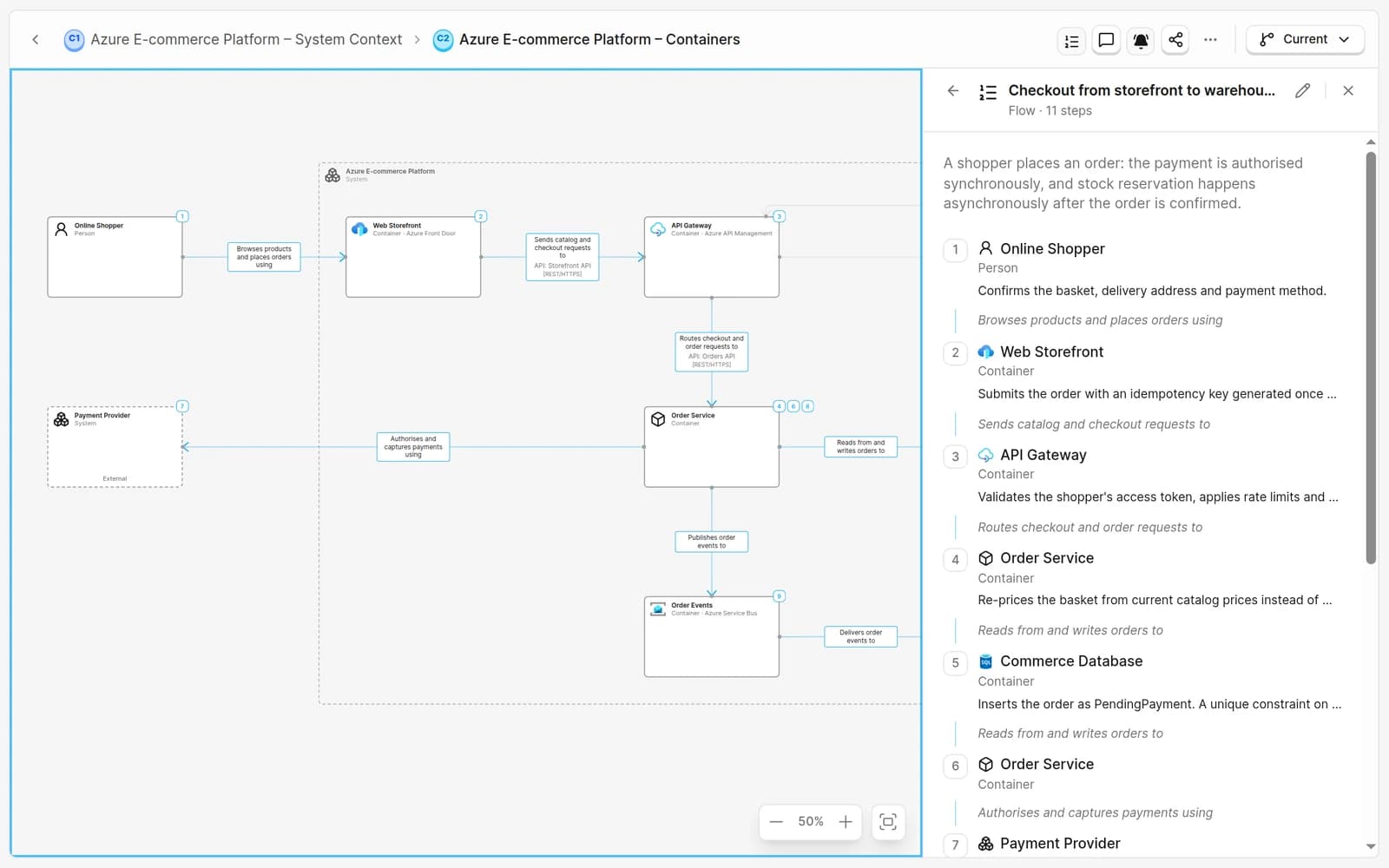
Flows
Step through a request across a view with the flow player.
Deployments
Show where containers run, per environment, on the same model.
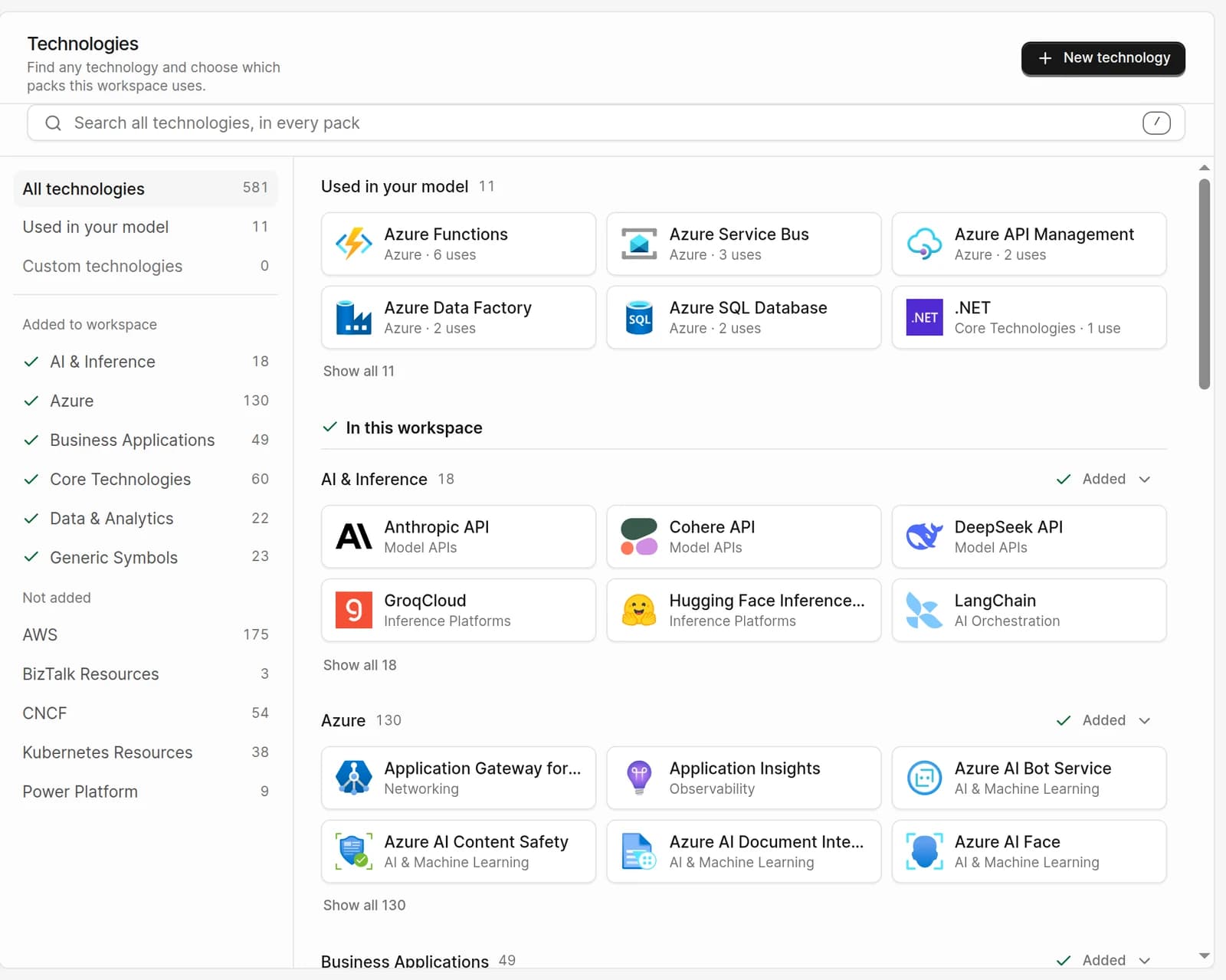
580+ technologies
Curated AWS, Azure, CNCF and Kubernetes packs, plus your own logos.
Walk through a request, step by step
Real logos for the technologies you run
Explore
Answer impact questions before you change anything
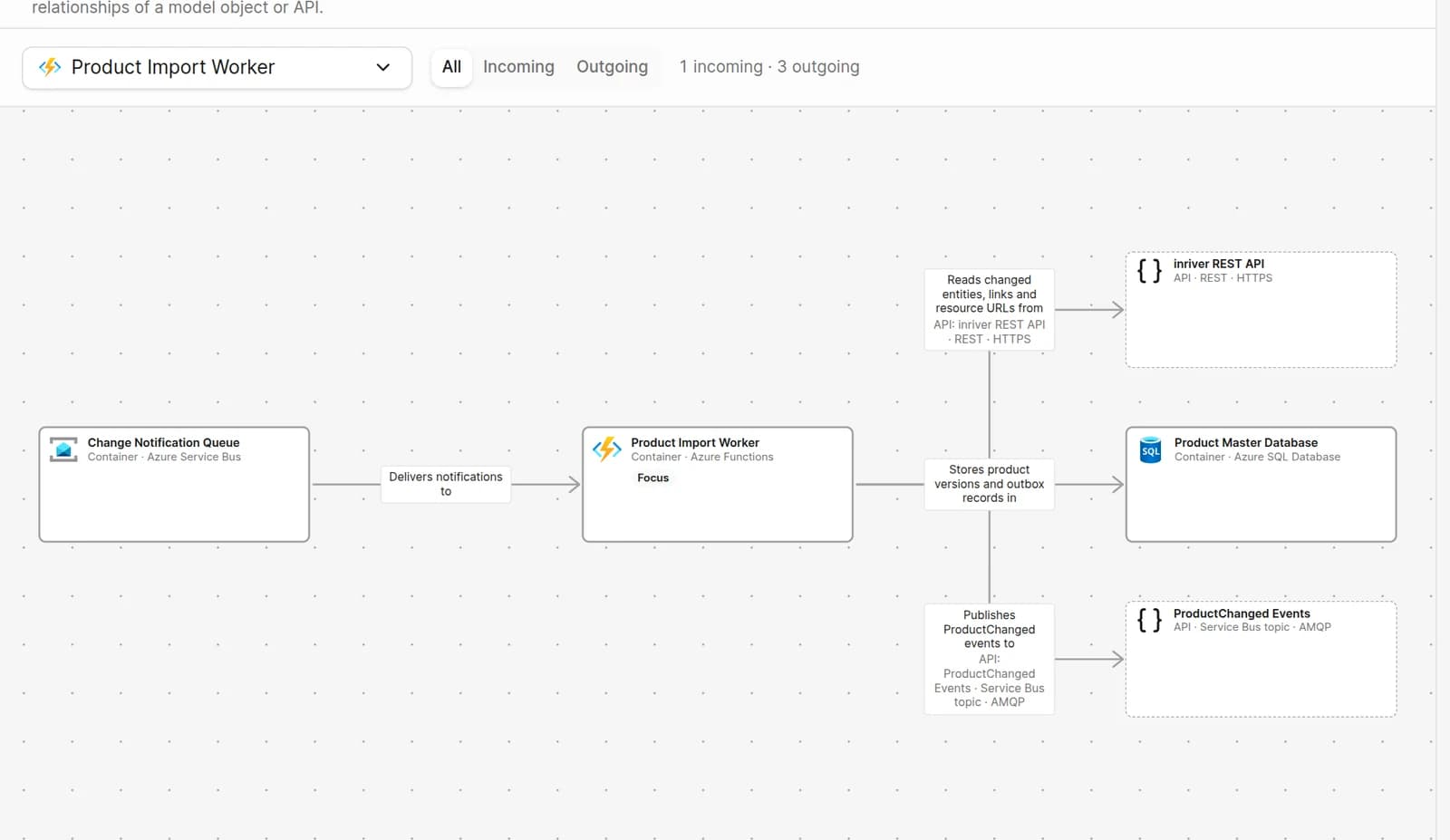
Dependency explorer
Incoming and outgoing relationships for any element or API.
APIs and Via
Systems, containers and components own APIs, with protocol and transport on every relationship.
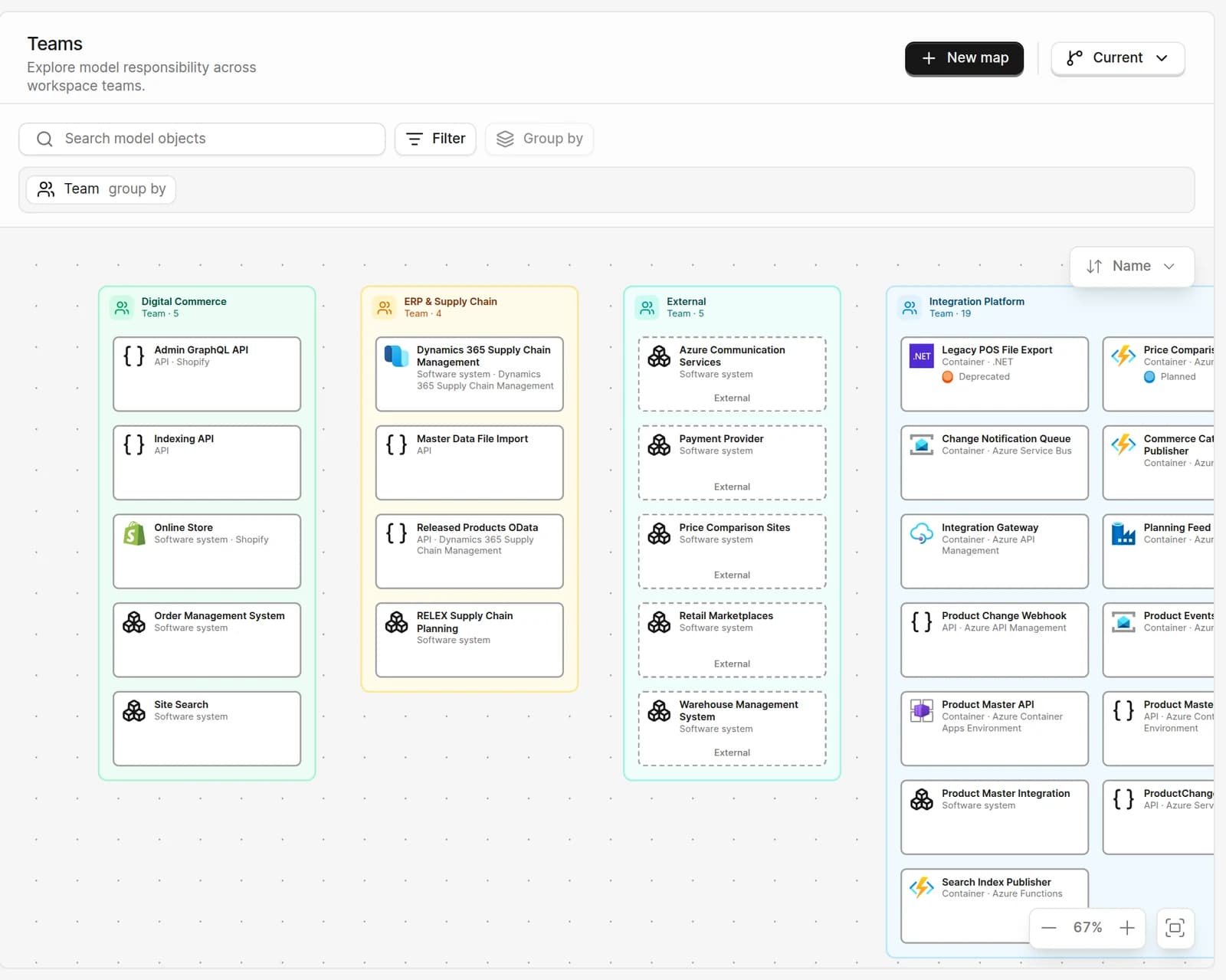
Model maps
Group the model by team, technology, deployment or your own attributes, and save filtered maps.
See the model by team, technology or environment
Design
Propose the next version. Merge it when it is ready.
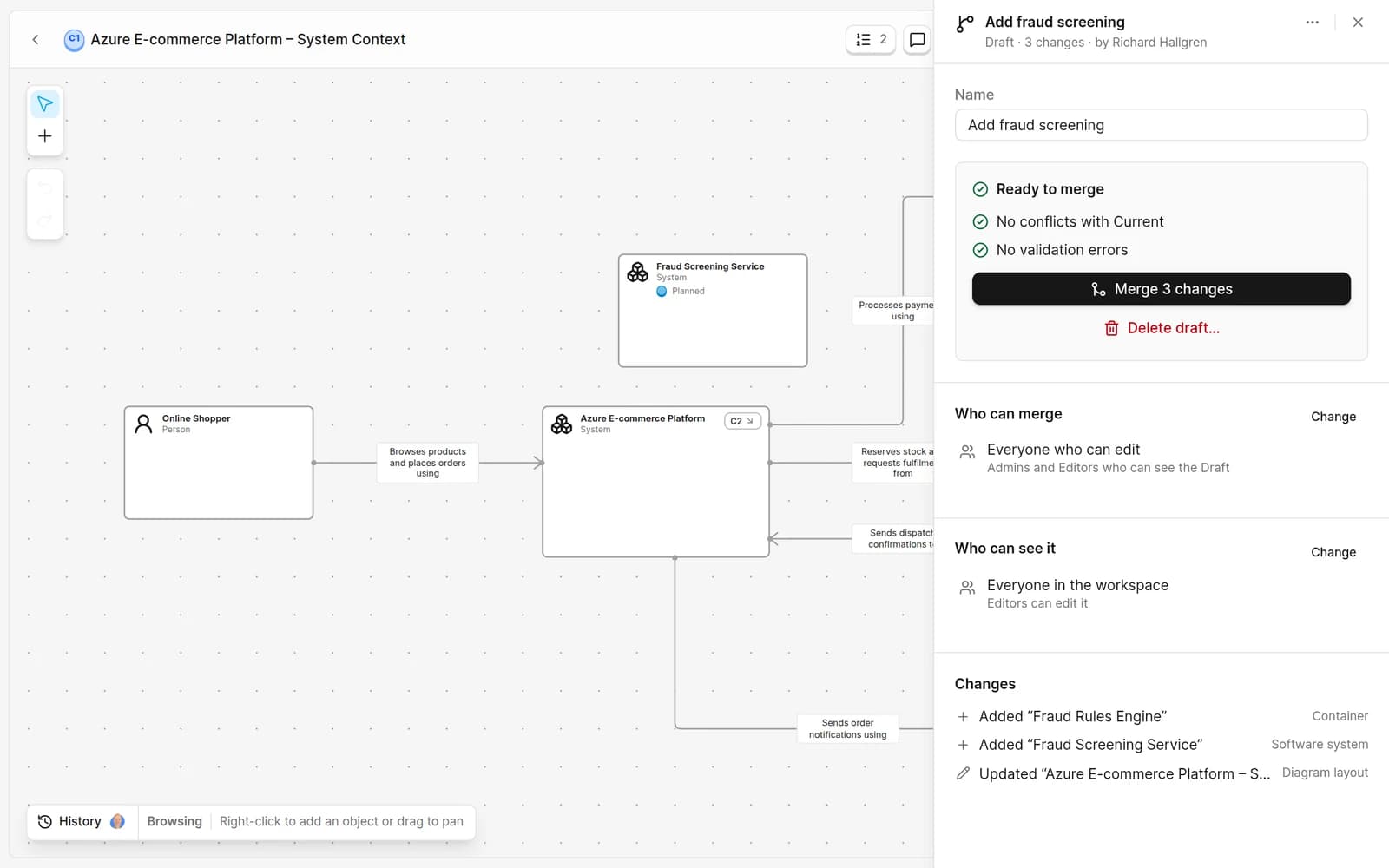
Drafts
Change the model without touching Current.
Change list
Every added, changed and removed element, with documentation findings.
Merge and history
Every merge creates a version. The audit history shows who changed what.
Merge rules
Decide who can merge a Draft and who can see it.
Govern
Keep the model trustworthy as it grows
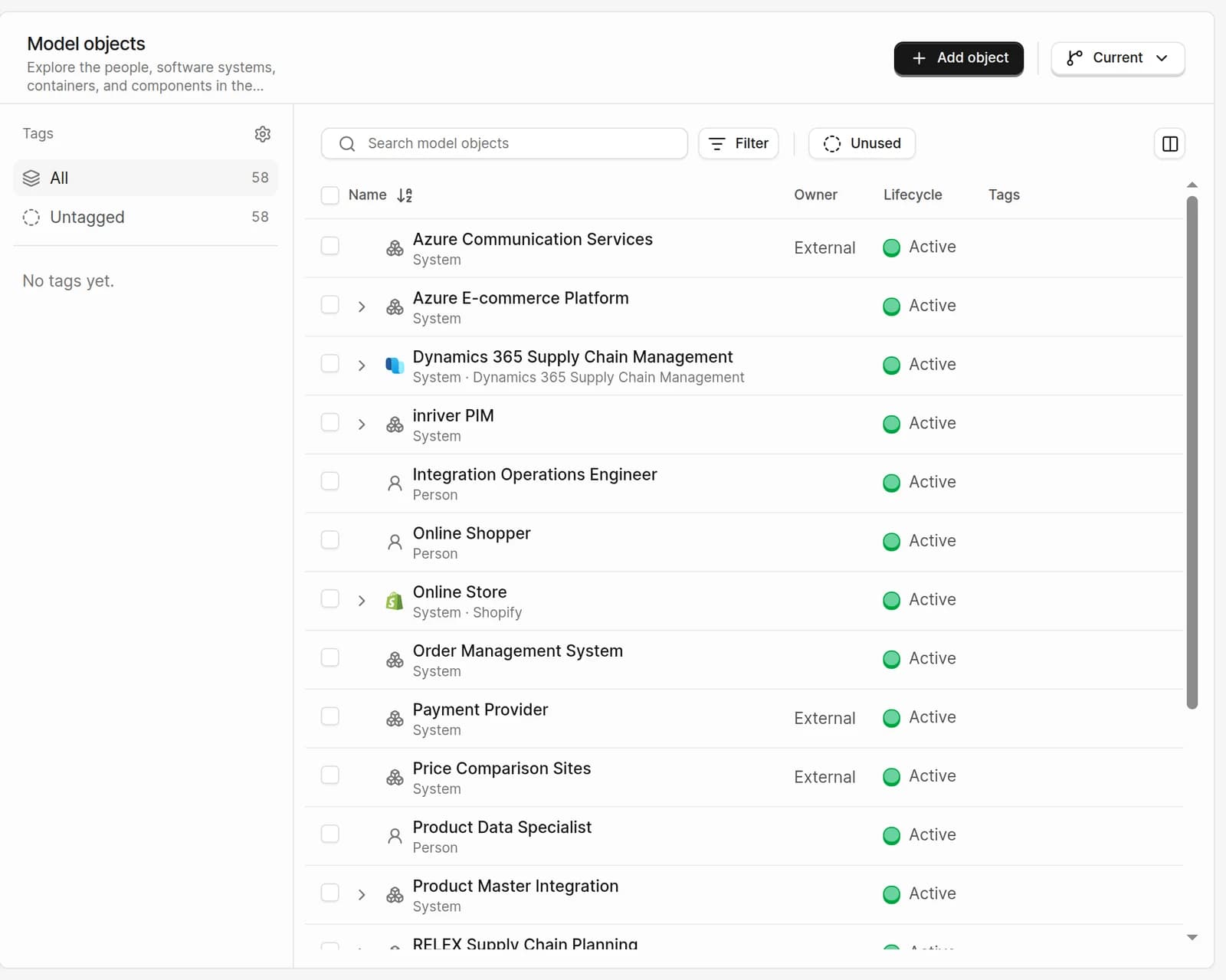
Owner teams
Know which team to ask about every system.
Lifecycle
Mark elements as planned, active, deprecated or retired.
Attributes and tags
Model your own standards and edit them in bulk.
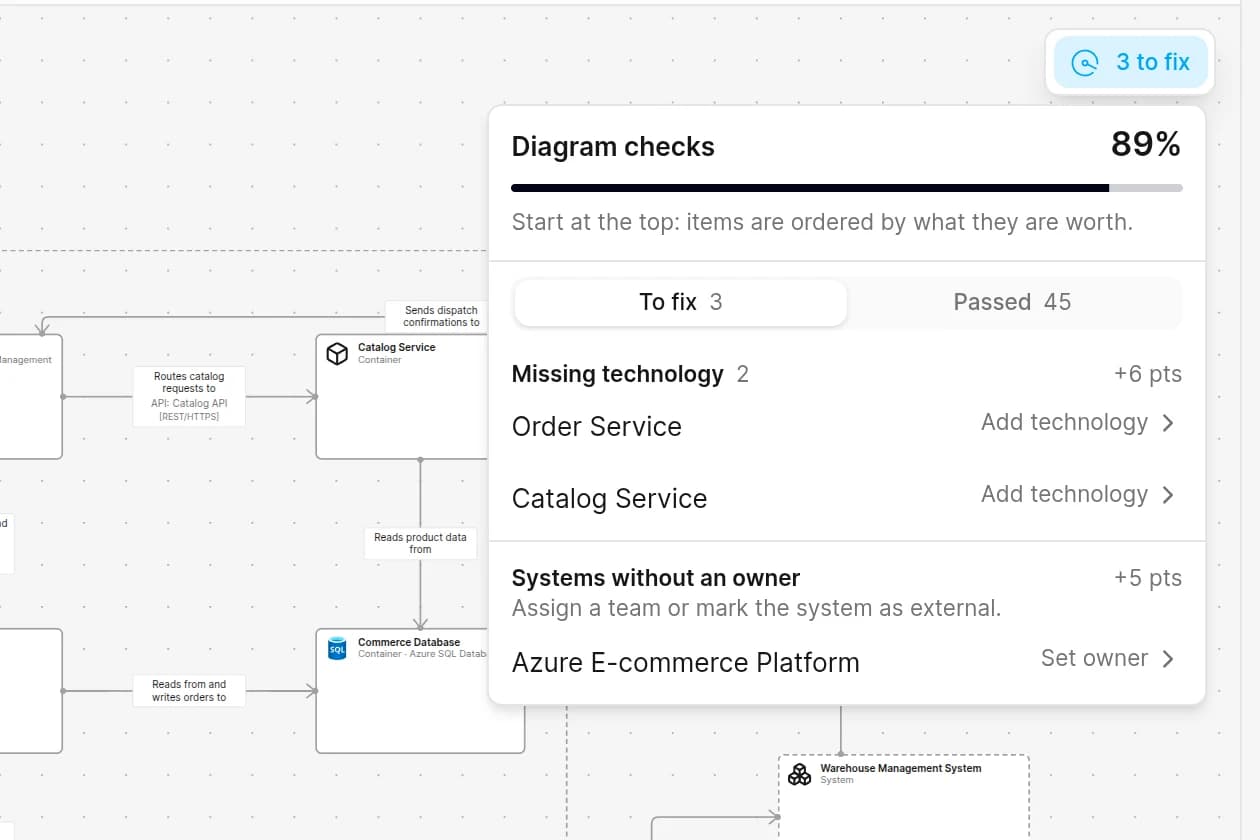
Diagram checks
Rules for names, descriptions, technologies, owners and relationship labels.
An owner and a lifecycle on every object
Share
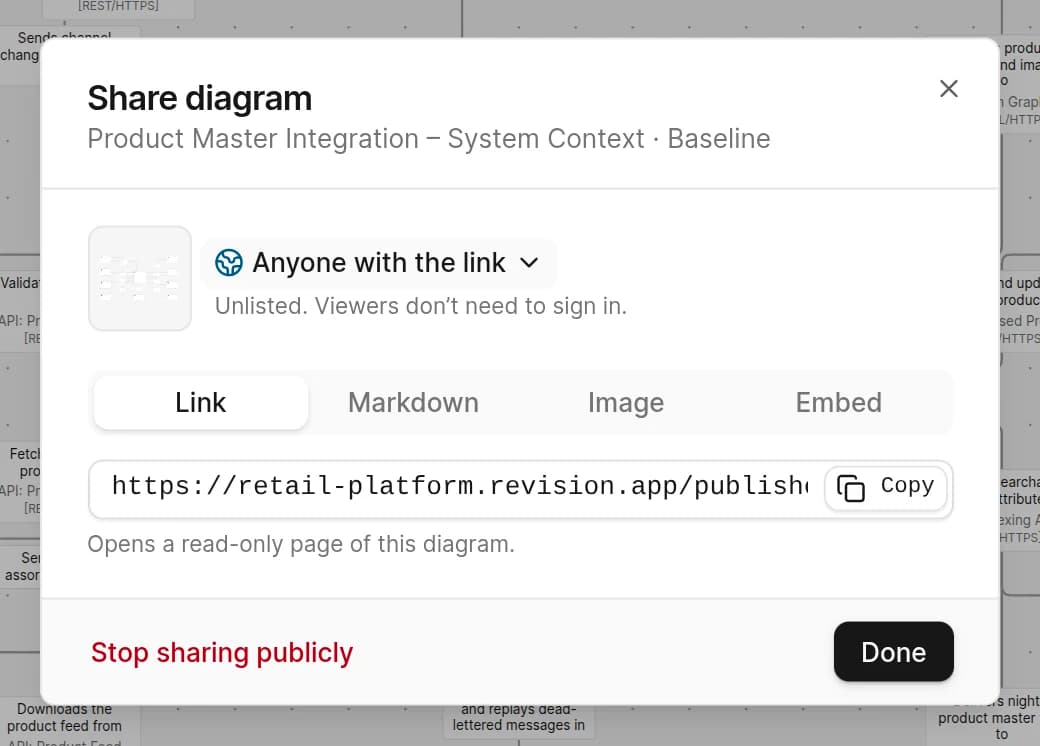
Free readers
Only editors need a seat.
Live links and embeds
Always the current version, wherever it is shown.
Follow views
Get notified when a view you follow changes.
Client organizations
A separate organization for each client you document.
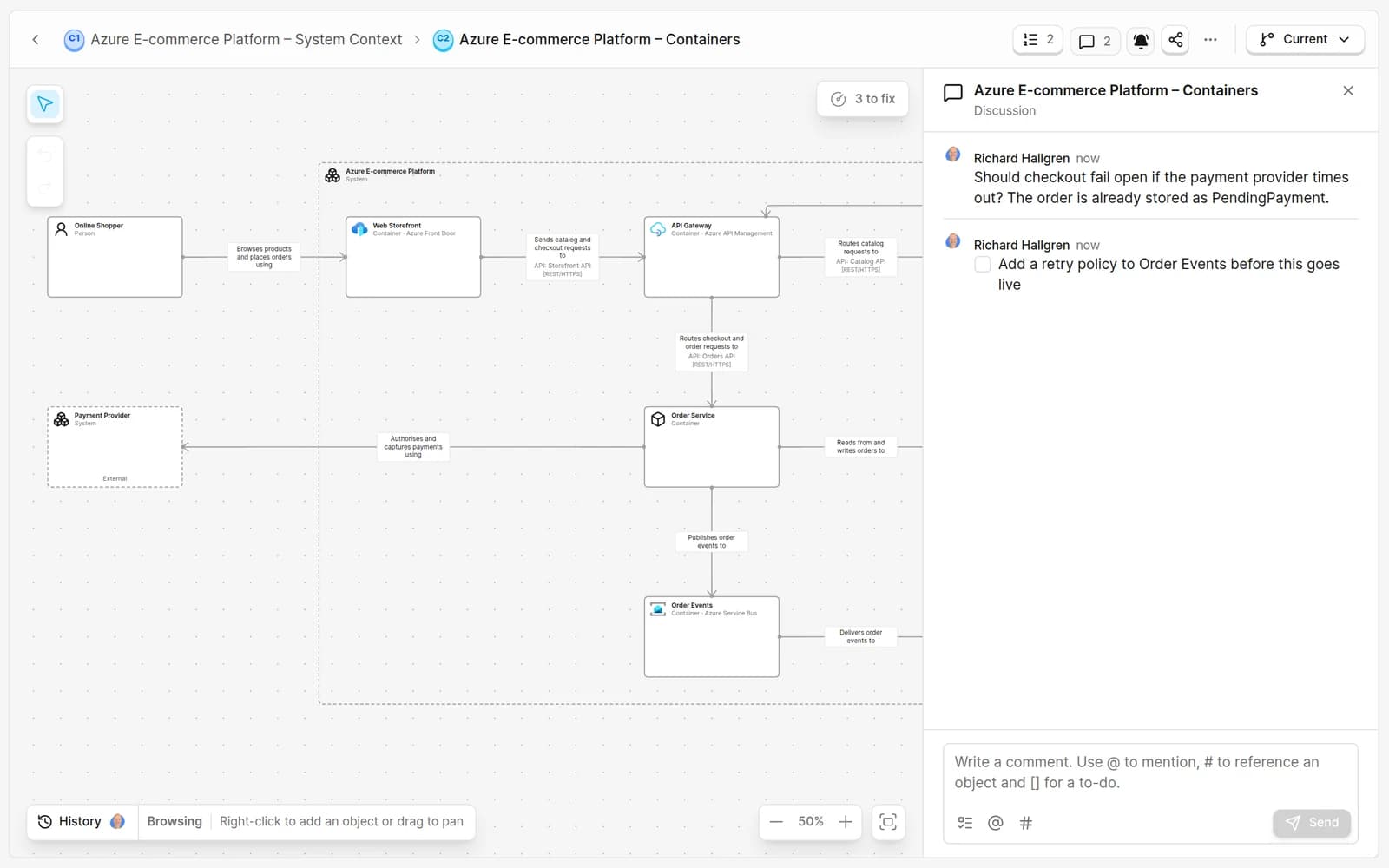
Discuss the architecture on the diagram
Automate
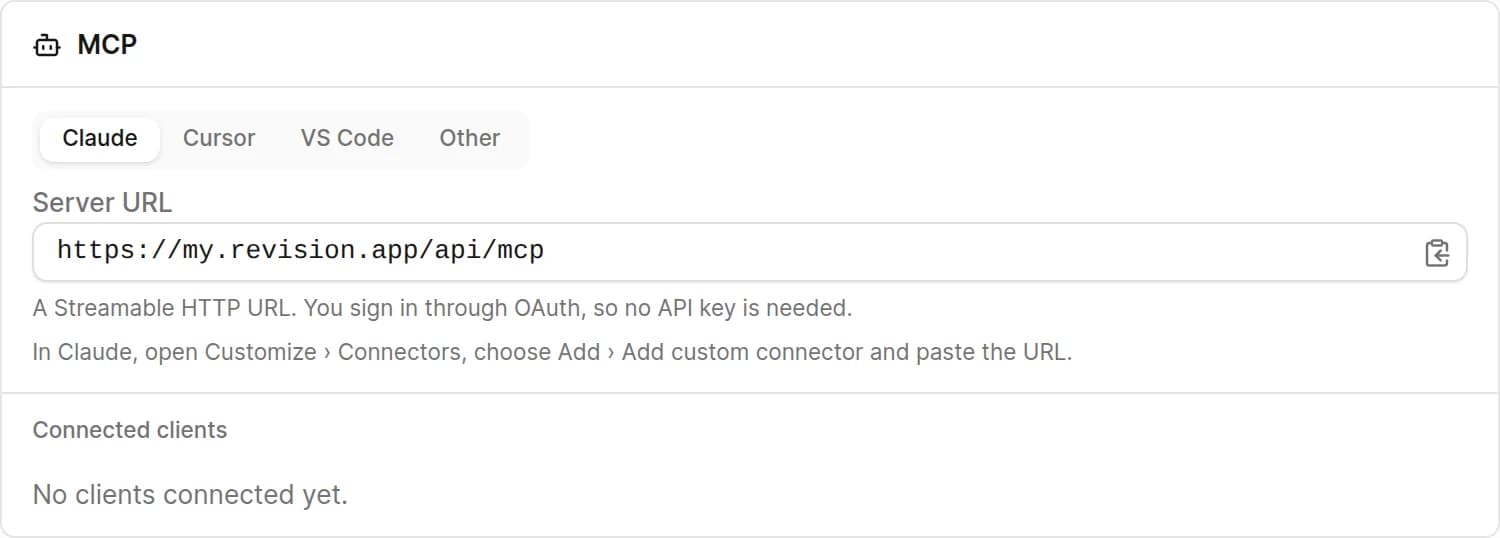
Let agents and tools work on the model
Because the structure is built in, our documentation stays consistent without extra work. It’s faster to write, review, and understand.
 Tor SunesonBusiness Architect, Softronic
Common questions
Comparing tools? See how Revision differs, side by side.
Is every feature on the Free plan?
Yes. The Free plan includes every cloud feature for one editor. Pro adds editors at €39 per editor per month, excluding VAT.
Do readers need a seat?
No. Readers and stakeholders are always free. Only editors need a seat.
Can AI agents change Current directly?
No. Agents connected through MCP propose their changes in a Draft, which your team reads before it is merged into Current.
Can we run Revision on our own servers?
Yes. Self-hosted Revision runs on your own infrastructure and works offline.
Start from an example. Make it yours.
Free for one editor. Pro is €39 per editor per month. Readers are always free.