Design · Drafts
Change the architecture without touching Current
Work on the next version of your model in a Draft. Let the team read the change list, then merge when it is ready. Every merge creates a new version.
How it works
From idea to new version in three steps
Step 1
Start a Draft
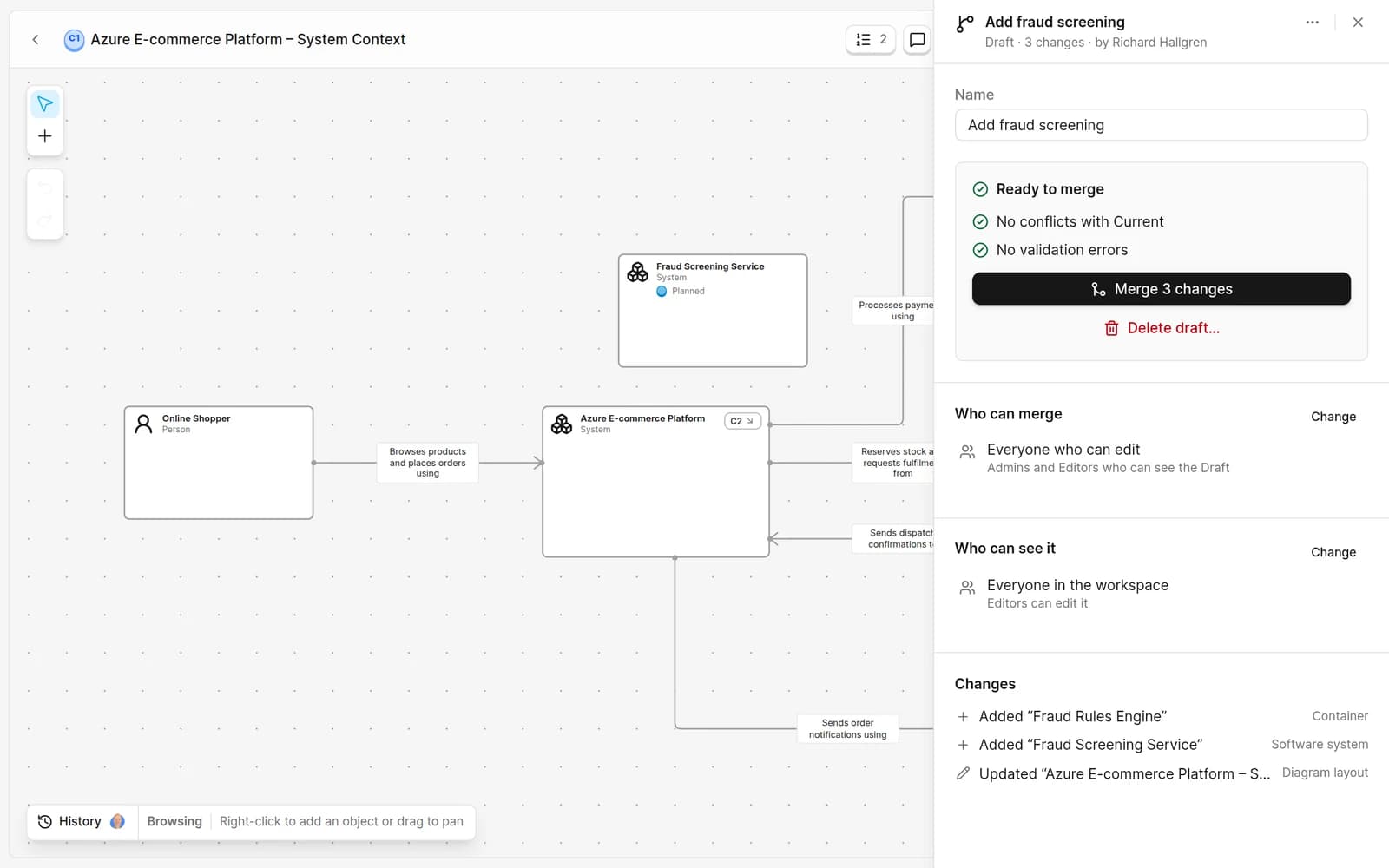
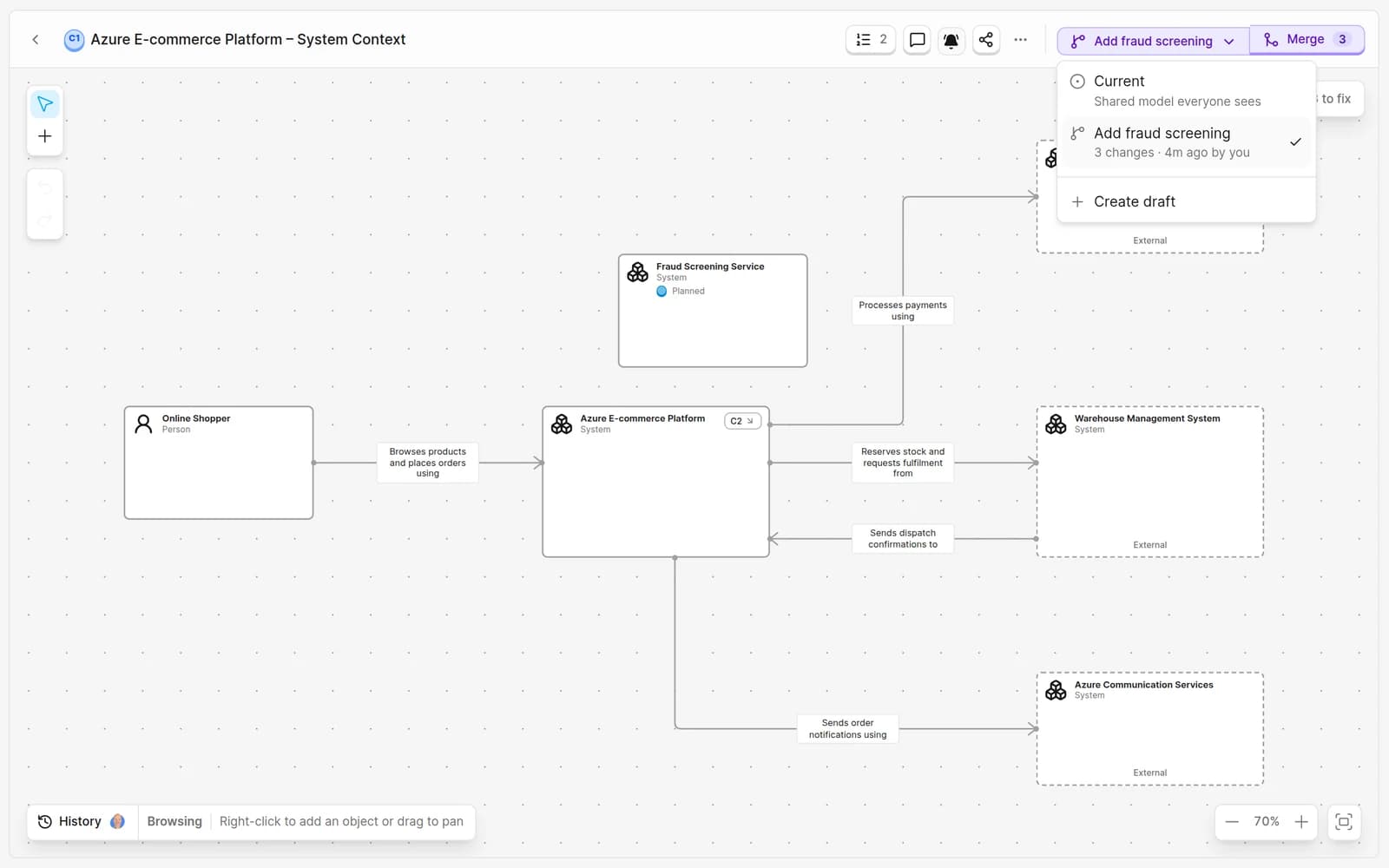
Name a Draft yourself, or just edit Current. Your first saved change starts a Draft for you.Step 2
Share the change list
The Draft banner opens every added, changed and removed element. By default anyone in the workspace can read the Draft, readers included.Step 3
Merge
Merging creates a new version of Current. If Current moved in the meantime, Revision merges separate edits and asks you to resolve real conflicts.
What you get
Design the future state with your team
- Switch between Current and any open Draft from every model page
- Readers can open Drafts, so reviewers never need a seat
- Documentation findings guide you without blocking a merge
- Separate edits merge automatically; conflicts are yours to choose
- The audit history keeps who changed what, and when
- AI agents connected through MCP propose changes in a Draft
Questions about Drafts
Can several Drafts be open at once?
Yes. Every editor can start Drafts and edit the ones they can see. Merge rules decide who can merge: everyone who can edit, only admins, or admins and selected teams.
Who can see a Draft?
By default, everyone in the workspace can open Current and every open Draft, including readers, who are always free. You can limit a Draft to selected people and admins.
What happens if Current changed while I worked?
Revision compares the Draft's starting point, Current and the Draft. Separate edits merge automatically, and conflicting edits are shown so you can choose Current or Draft for each one.
Does missing documentation block a merge?
No. Missing descriptions and similar documentation findings are shown in the change list as advice. Only structural errors block a merge.
Are Drafts included on the Free plan?
Yes. The Free plan includes every cloud feature, Drafts included, for one editor.
Try a Draft on an example model
Free for one editor. Pro is €39 per editor per month. Readers are always free.